

三角洲每日密码获取代码教程
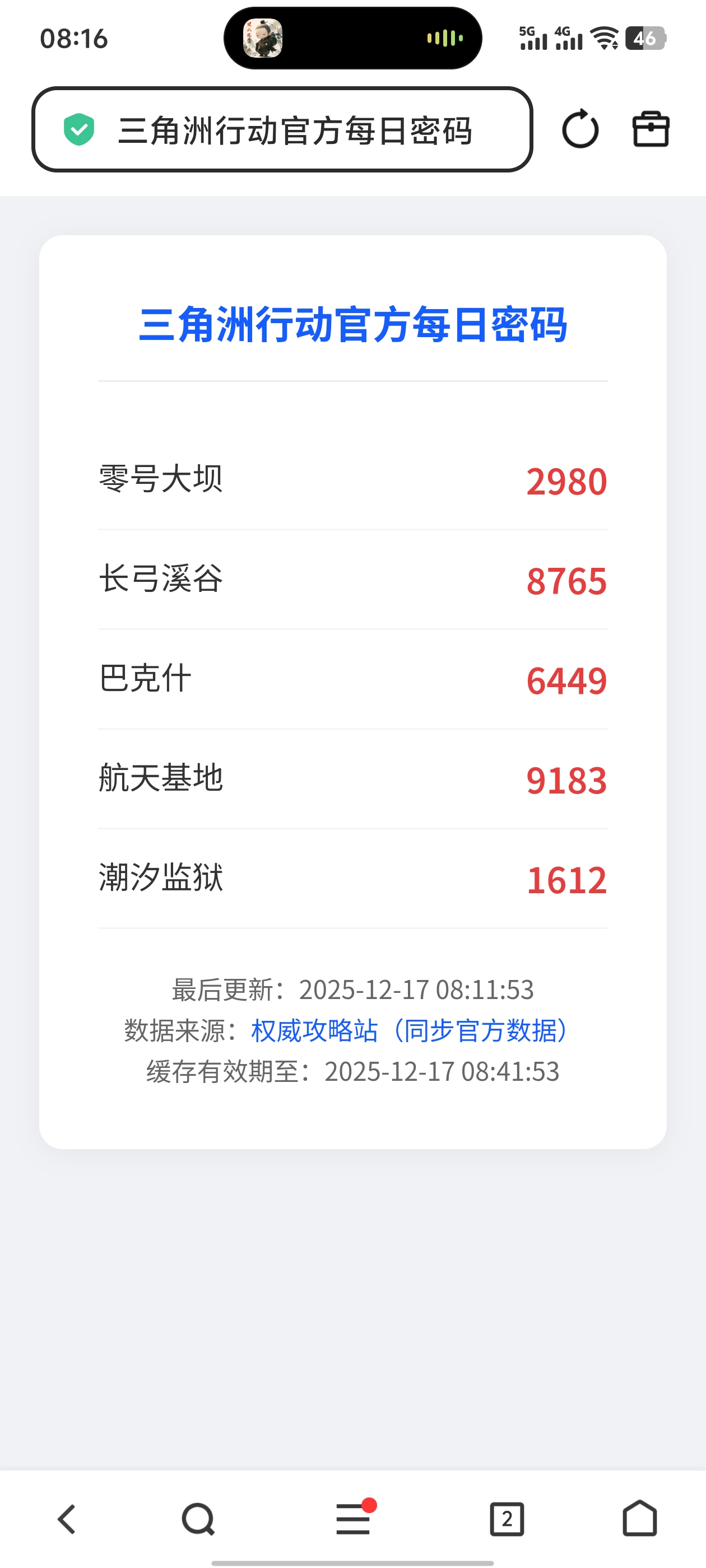
4个月前 下面代码是通过AI编写,通过获取其他网页数据在解析过滤后获取的数据。...

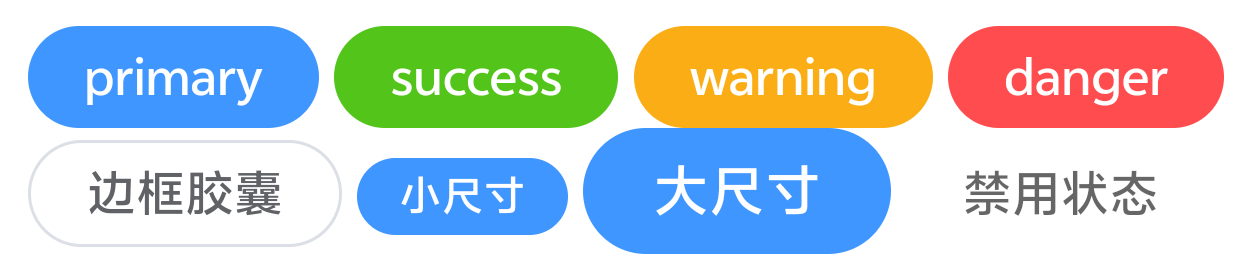
原生轻量胶囊UI(无框架,适配多场景)
<!DOCTYPE html><br />
<html lang="zh-CN"><br />
<head><br />
<meta charset="UTF-8"><br />
<meta name="viewport" content="width=device-width, initial-scale=1.0"><br />
<title>原生胶囊UI</title><br />
<style><br />
/* 基础胶囊(通用款) */<br />
.capsule {<br />
    display: inline-block;<br />
    padding: 4px 16px;<br />
    border-radius: 999px;<br />
    font-size: 14px;<br />
    font-weight: 500;<br />
    line-height: 1.5;<br />
    text-align: center;<br />
    cursor: pointer;<br />
    transition: all 0.2s ease;<br />
    border: none;<br />
    outline: none;<br />
}<br />
<br />
/* 实心主题款 */<br />
.capsule-primary {<br />
    background: #4096ff;<br />
    color: #fff;<br />
}<br />
.capsule-primary:hover {<br />
    background: #66b1ff;<br />
}<br />
.capsule-success {<br />
    background: #52c41a;<br />
    color: #fff;<br />
}<br />
.capsule-success:hover {<br />
    background: #73d13d;<br />
}<br />
.capsule-warning {<br />
    background: #faad14;<br />
    color: #fff;<br />
}<br />
.capsule-warning:hover {<br />
    background: #fcc536;<br />
}<br />
.capsule-danger {<br />
    background: #ff4d4f;<br />
    color: #fff;<br />
}<br />
.capsule-danger:hover {<br />
    background: #ff7875;<br />
}<br />
<br />
/* 边框主题款(浅色背景) */<br />
.capsule-outline {<br />
    background: transparent;<br />
    border: 1px solid #dcdfe6;<br />
    color: #606266;<br />
}<br />
.capsule-outline:hover {<br />
    border-color: #4096ff;<br />
    color: #4096ff;<br />
    background: #f5faff;<br />
}<br />
<br />
/* 尺寸变体 */<br />
.capsule-sm {<br />
    padding: 2px 12px;<br />
    font-size: 12px;<br />
}<br />
.capsule-lg {<br />
    padding: 6px 20px;<br />
    font-size: 16px;<br />
}<br />
<br />
/* 禁用状态 */<br />
.capsule-disabled {<br />
    opacity: 0.6;<br />
    cursor: not-allowed;<br />
}<br />
.capsule-disabled:hover {<br />
    background: inherit;<br />
    border-color: inherit;<br />
    color: inherit;<br />
}<br />
</style><br />
</head><br />
<body><br />
<!-- 实心款示例 --><br />
<button class="capsule capsule-primary"> primary </button><br />
<button class="capsule capsule-success"> success </button><br />
<button class="capsule capsule-warning"> warning </button><br />
<button class="capsule capsule-danger"> danger </button><br />
<br />
<!-- 边框款示例 --><br />
<button class="capsule capsule-outline"> 边框胶囊 </button><br />
<br />
<!-- 尺寸变体示例 --><br />
<button class="capsule capsule-primary capsule-sm"> 小尺寸 </button><br />
<button class="capsule capsule-primary capsule-lg"> 大尺寸 </button><br />
<br />
<!-- 禁用状态示例 --><br />
<button class="capsule capsule-primary capsule-disabled" disabled> 禁用状态 </button><br />
</body><br />
</html><br />
```<br />
 <br />
 <br />
核心特点<br />
 <br />
1. 轻量高效:纯原生CSS,代码精简无冗余,加载速度快<br />
2. 多场景适配:含4种主题色+边框款,3种尺寸,支持禁用状态,覆盖常见需求<br />
3. 交互友好:hover态平滑过渡,视觉反馈清晰,提升用户体验<br />
4. 响应式兼容:inline-block布局,适配移动端与PC端,无适配冲突#免责声明#
本文为转载 或 原创内容,未经授权禁止转载、摘编、复制及镜像使用、转载请注明作者、出处及原文链接、违者将依法追究责任。
4个月前 下面代码是通过AI编写,通过获取其他网页数据在解析过滤后获取的数据。...

4个月前使用AI编写的一款php类文件自动加载,至于性能,效率,内存占用率怎么样那就不知道了
4个月前 # `HttpRequest` 原生异步请求类使用文档 ## 一、类简介 `HttpRequest` 是一款...
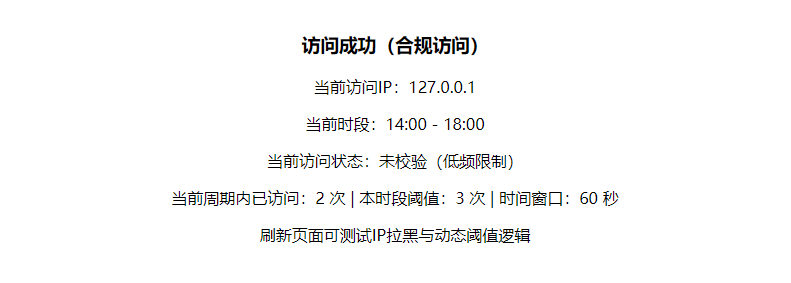
4个月前 # PHP访问频率管控系统 使用文档 ## 一、系统概述 该系统是一套基于PHP原生...
4个月前 # 完整版PHP图片获取函数 新增开关+缺省图配置 | 支持img/MD | 校验可控 | 直...
4个月前 # 坚果云WebDAV操作类开发文档 ## 一、文档概述 本文档详细介绍了`Jianguoyun...